

Secret Management
In order to manage sensitive information like passwords or repository auth credentials, they must be stored in the cloud. We provide Azure Key Vaults to achieve this. Since you as a customer cannot access your Kubernetes secrets over the portal, all secrets in the project key vaults are automatically synchronized with your Kubernetes secrets and can be accessed by your applications.
Azure Key Vaults
Azure provides a secret management service called Key Vault(AKV) to securely create and manage keys, passwords and certificates in the cloud.A Key Vault encrypts data and stores it with an id which can be used to retrieve the secret. You can manage your key vault through the Azure portal.
All Key Vaults follow the same naming concept : [region]-DS-AKV-[keyVaultBaseName]-[stage]-[number]
Project Key Vault
One Key Vault dedicated to each project is created when the project is bootstrapped.
The project Key Vault always has the number 1 at the end of its name, and initially contains the following data shared from us to be used by your project:
confluent-bootstrap-urlfor accessing Kafka brokerconfluent-sa-project-keyfor accessing Kafka brokerconfluent-sa-project-secretfor accessing Kafka broker- external Kafka broker access information (if configured)
Additional Key Vaults
If you need additional key vaults, they can be created with the initial project configuration setup, or later added to the existing configuration with the help of our team.
You can have from 0 to 98 additional key vaults depending on your need. The additional key vaults will have the number 2 to 99.
Secret Creation
Secrets can be created directly within the Azure portal. These secrets are automatically synchronized to Kubernetes and can be used as ENV variables in deployed services.
Adding Secret to Key Vault
To create a secret in an existing Key Vault, you can log in to the Azure portal, and search for key vaults
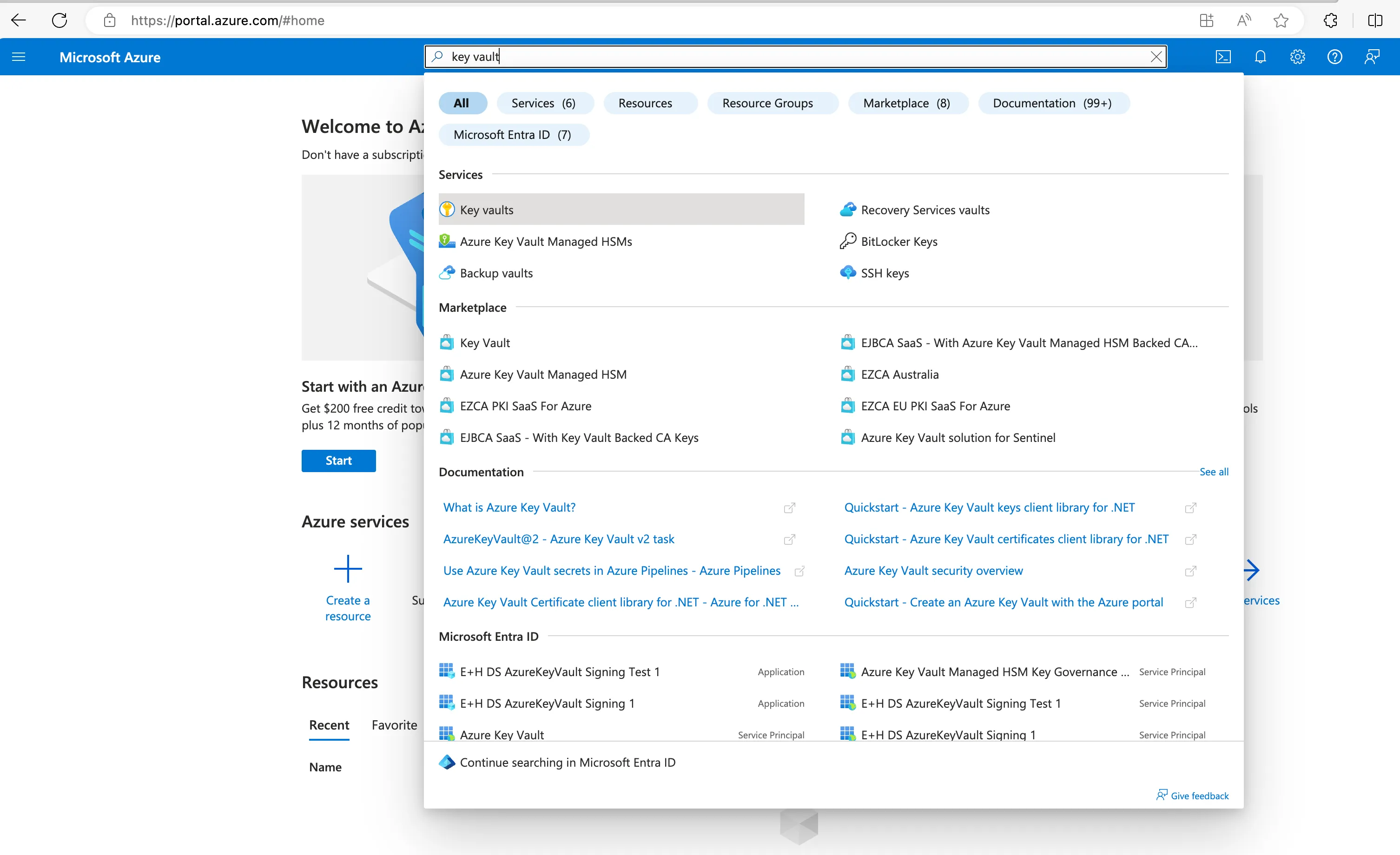
- Select the Key Vault service to see the list of key vaults available for your project
- Navigate to the Key Vault in which the secret needs to be created
- Select Secrets in settings menu in left pane
- Click Generate/Import
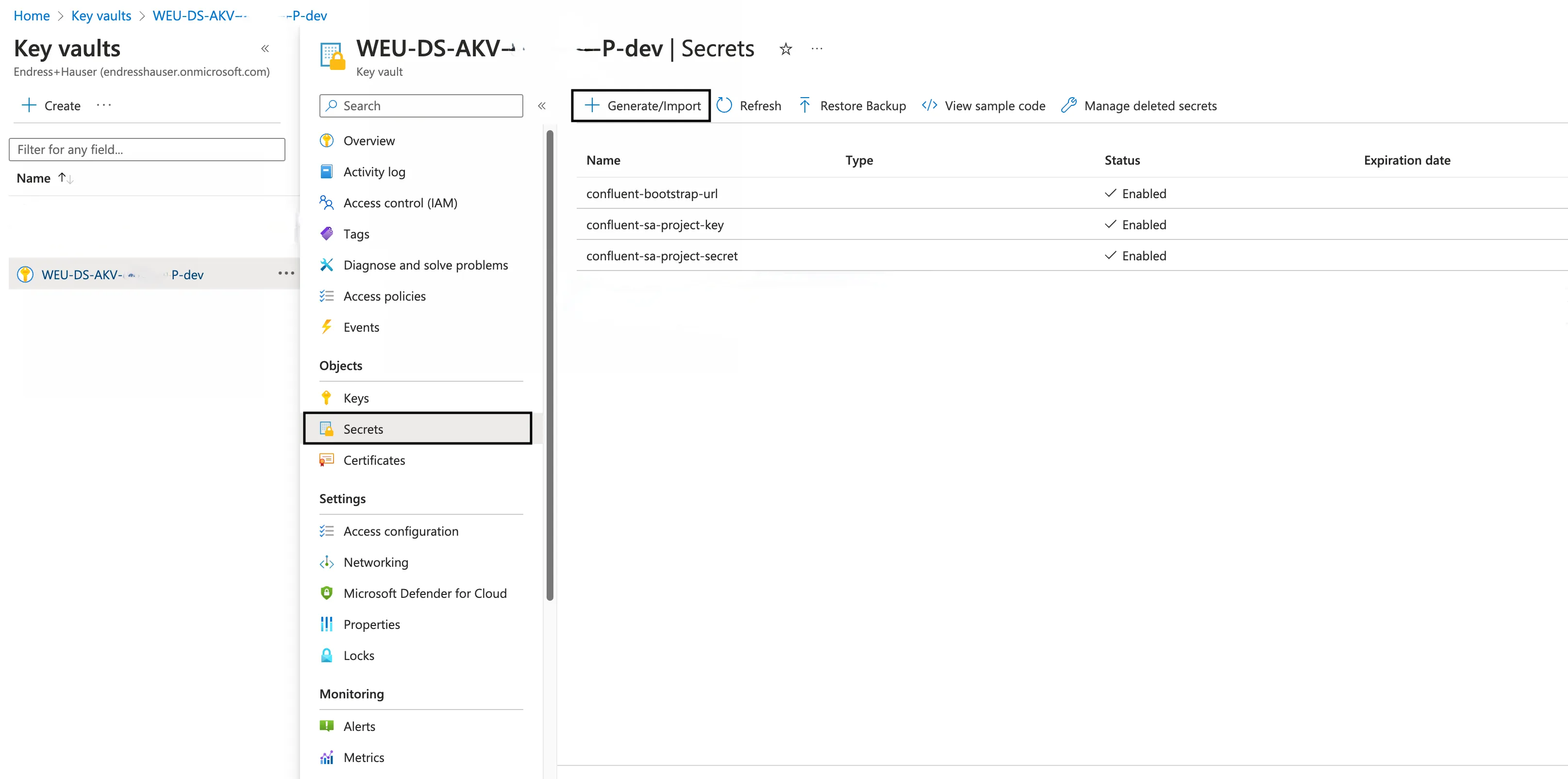
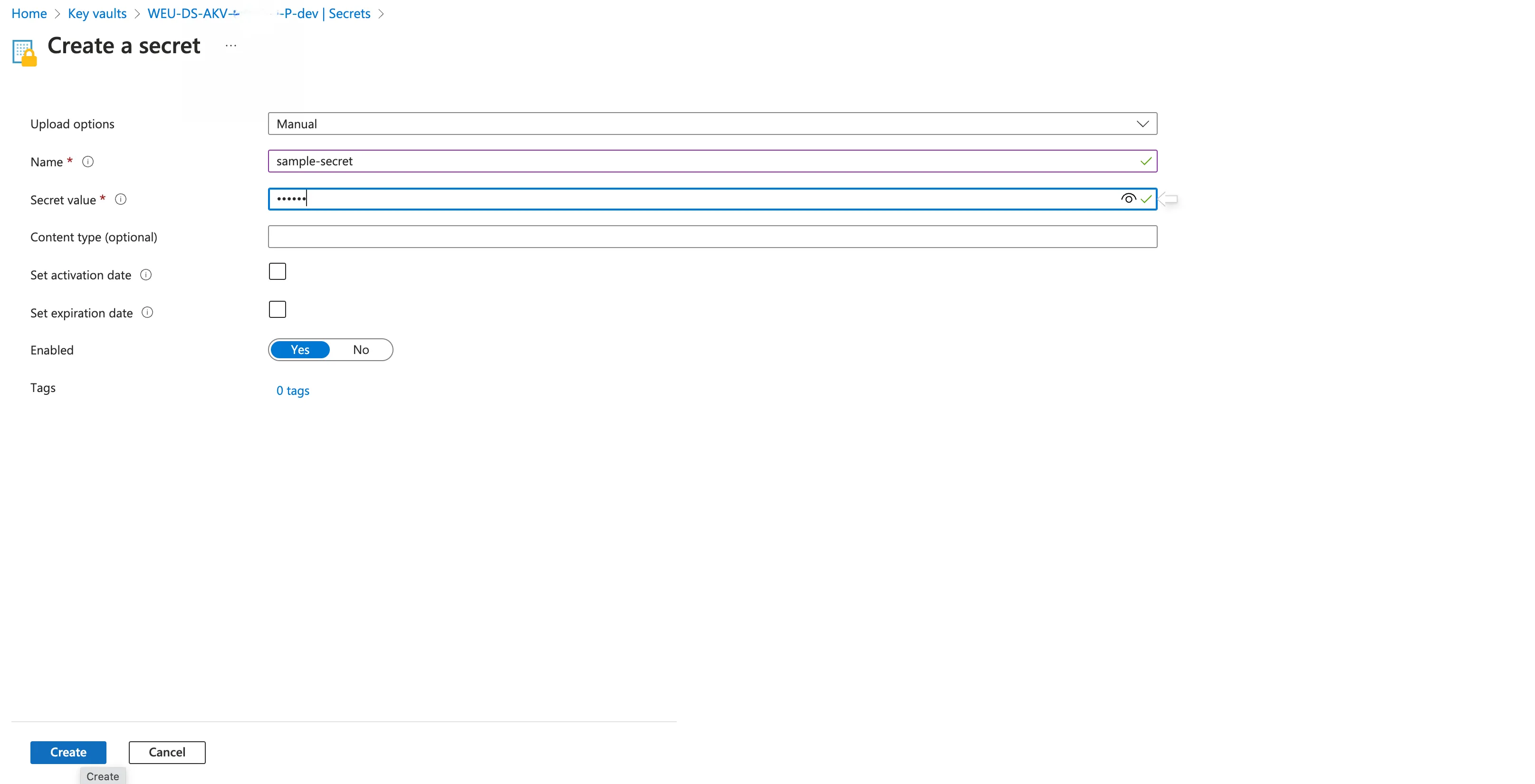
- Upload options “Manual”
- Provide a Name for the secret. Name should be unique, can contain 1-127 characters, start with a letter and can have only 0-9, a-z, A-Z, and -
- Provide the secret value in Value field
- Other fields can be default. Click on Create
Synchronization to Kubernetes
To make all the secrets available to containers in a Kubernetes cluster, they were synchronized to Kubernetes secret.
In the NEXT platform, the automatic synchronization is already realized with the help of a service called External Secrets Operator.
This operator automatically syncs all the secrets from Azure Key Vault to the Kubernetes environment under the names
- “keyvault-project” for the project Key Vault
- “keyvault-[number]” for the additional Key Vaults
The Kubernetes Secrets are generated directly in your Kubernetes Namespace and can not be accessed from other applications running in other namespaces.
Usage of Secrets in Applications
The secrets synchronized to Kubernetes Secrets can be used in any service running in the same namespace as Kubernetes Secrets. Because every container from your project is running in the same namespace, every container can access these secrets.
Below is a sample snippet, on how a secret can be used in a Kubernetes deployment:
apiVersion: apps/v1kind: Deploymentmetadata: name: examplespec: containers: - name: test-container ... env: - name: SECRET_SAMPLENAME valueFrom: secretKeyRef: name: keyvault-project key: sample-secretin this snippet the
- secret named sample-secret in
- project Key Vault keyvault-project is available in this service as
- environment variable SECRET_SAMPLENAME.
Because env contains an array of information, multiple secrets can be assigned simultaneously.