

Container Registry
The source code of your applications can be located in any developer platform like gitHub or GitLab. This application must be a containerized and pushed to a container registry, for deployment to the NEXT platform.
Artifactory
We currently only allow images to be pulled from Github container registry, and the E+H Artifactory hosted by InfoServe.
Here is more information about the available E+H Artifactory instances and how to work with them —
Internal Artifactory
The internal Artifactory is reachable under artifacts.endress.com from E+H internal network or with ZScaler.
More information for this instance can be found in Clue.
External Artifactory
The external Artifactory is reachable under cir.endress.com.
Because the NEXT environments (and the Kubernetes clusters running in these environments) are not part of the internal E+H network, the External Artifactory instance has to be used.
The images cannot directly be pushed to the External Artifactory, they can only be mirrored from the internal Artifactory, and this must be setup with the help of InfoServe (More information below).
Setting Up A Container Registry
You can request a new internal docker repository with DART self-service portal, or if you already have a docker repository for your development team, you can use the same one for application development on NEXT platform too.
If you want to use an existing repository, please be aware that every container in the internal repository will be mirrored to the external repository. In case of bigger containers this can lead to a billing from InfoServe for the upcoming traffic you are generating with the mirroring and requests to these containers.
Request internal docker repository
New repositories can be created over the self-service portal dart.
-
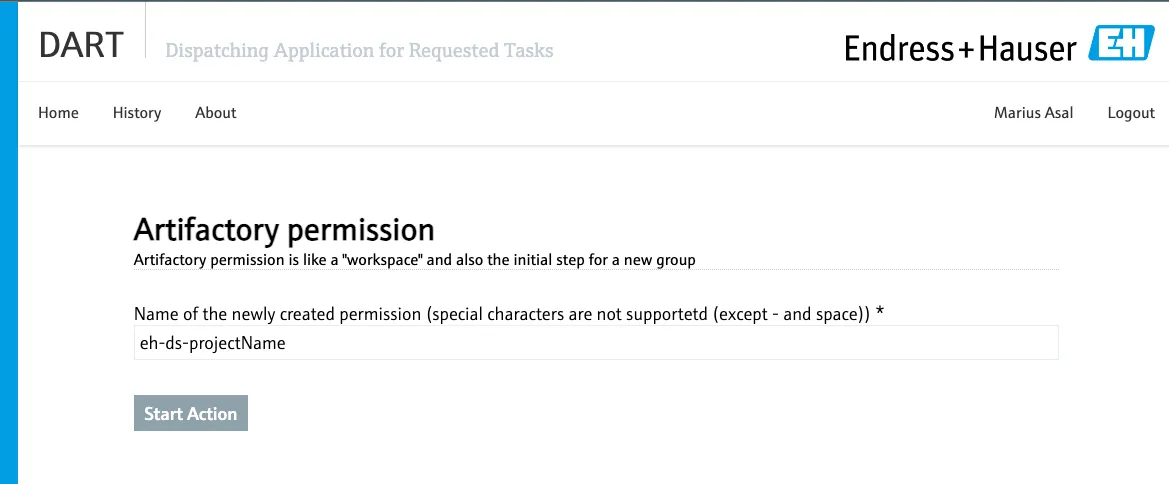
Therefore you first create a “permission”, which is a group for managing access to the artifactory:
-
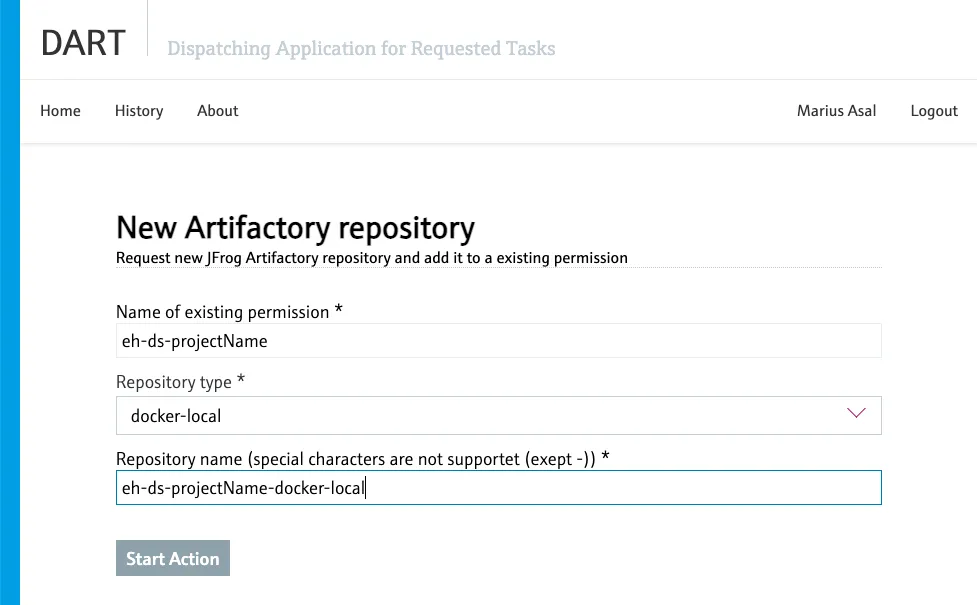
With this permission a new repository can be created:
Request repository mirroring
For mirroring the containers to the External Artifactory, the mirroring has to be requested by ticket directly by InfoServe.
An example on how to request this mirroring can be found here
To access a repository in the External Artifactory, a technical user with login credentials can be created with read access to the repository. Kubernetes will use this technical user’s credentials to pull images from the artifactory. NEXT team has already created a technical user: tu_aks_next_platform_dev and it is available for use. If you wish to use the same, you can do so by requesting a read access to your repository through this user.
If you decide to create and use your own technical user for further privacy, it is possible with few additional steps. Kindly contact us for this request.